App Store screenshots · art-directed

Shots that punch.
Not templates.

Upload your raw screenshots. Get back a store-ready set that looks like an agency made it — editorial backgrounds, giant headlines, and app elements that break out of the frame. Every other generator gives you a device frame on a flat color. You can smell the template.

Validated in production: the recipe shipped a real app's five App Store screenshots — accepted with zero review notes.

1320×2868, no alpha channel, 3–10 per locale, alphabetical order — every hard App Store rule handled for you.

The differentiator

Every kind of app.
Its own art direction.

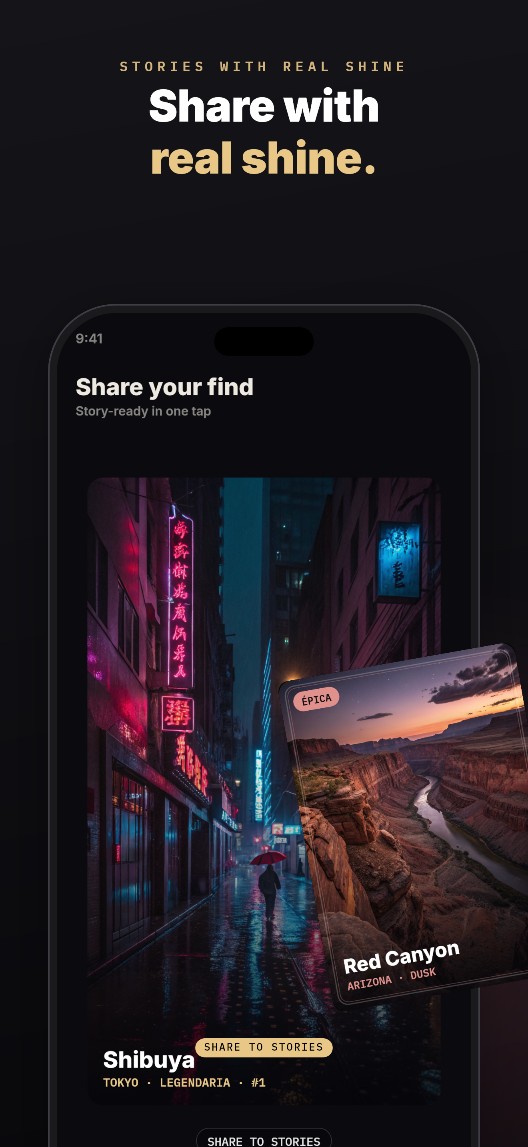
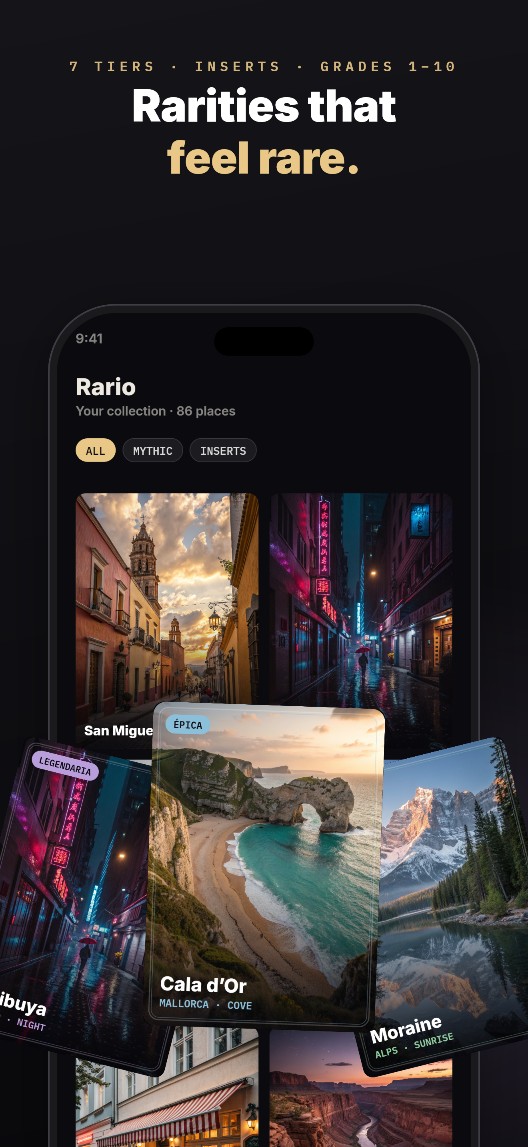
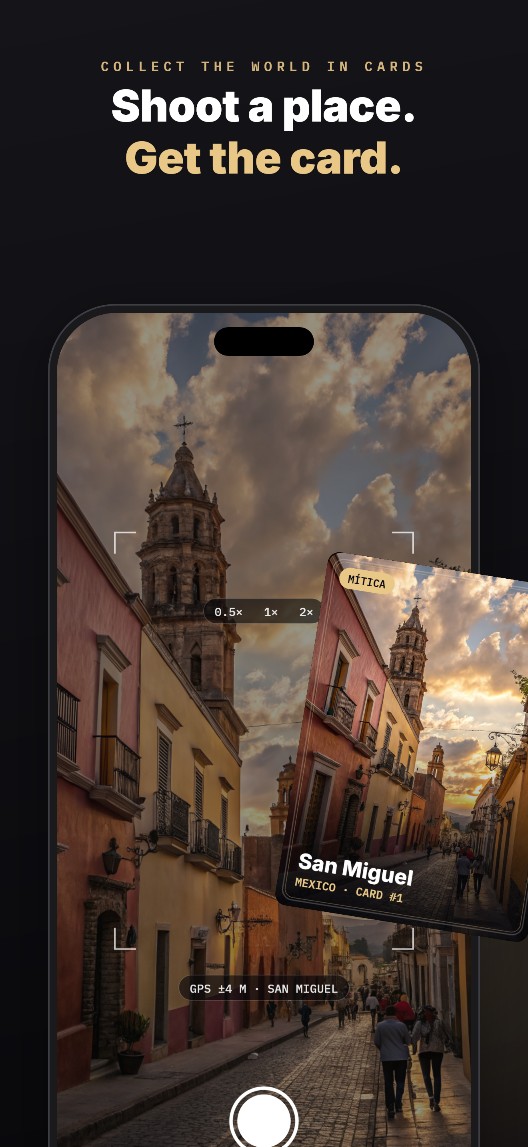
These aren't skins on one template — they're different apps, each art-directed to fit. A place-collector goes dark and editorial with cards breaking out of the frame; a coffee journal goes warm and serif; a habit tracker goes loud. Same tool, real range. Every shot is the live compositor.

Brief to store in minutes

Three steps. Zero design work.

01

Drop your screenshots

Three to six raw captures. We validate dimensions, convert HEIC, and pull your accent color straight from the pixels — no forms.

02

Pick a style

The gallery renders your app live in every template. Claude writes the headlines from your brief; fal.ai paints backgrounds matched to your niche.

03

Export the set

What you approve is byte-for-byte what downloads: a ZIP foldered by locale, exact sizes, RGB with no alpha. Drop it straight into App Store Connect.

Under the hood

An automated art director.

Editorial backgrounds by category

Real depth, generated for your niche

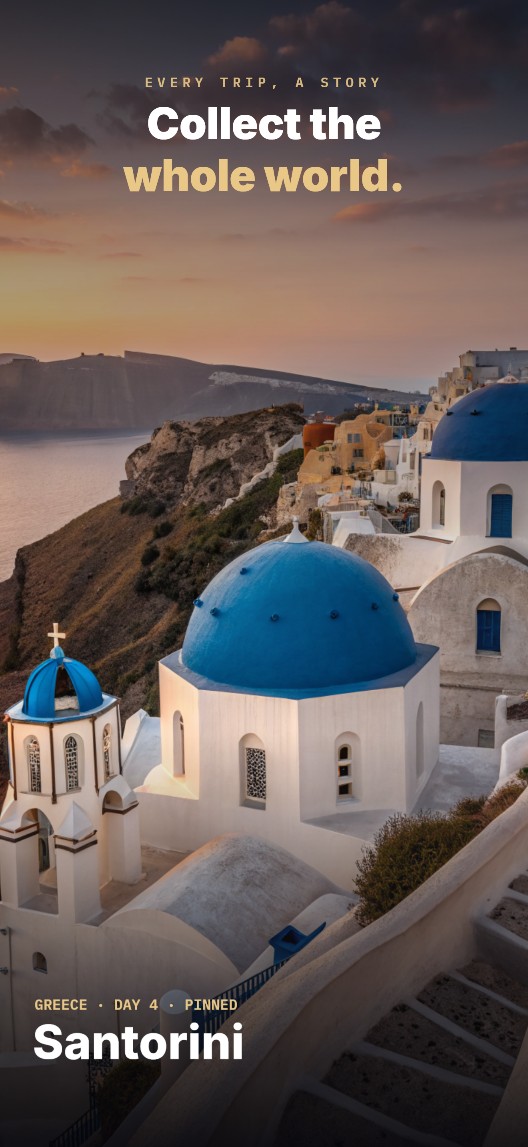
fal.ai renders photographic backgrounds matched to your app's category — the light shifts shot to shot, the way a real set does. Never a flat color behind a frame.

Full-bleed editorial screenshot example
Localized

N languages, one layout

Claude writes eyebrow + headline per shot per locale. Same art, different strings — add a language for the price of the text.

Compliance built in

Never rejected for alpha

We encode PNG color-type 2 directly — no alpha channel, exact 1320×2868, alphabetical order. The IMAGE_ALPHA_NOT_ALLOWED rejection is impossible by construction.

Break the frame

Elements that pop out

Cards, badges and cutouts cross the device edge with real rotation and shadow — the signature move that reads as "agency," not "grid."

Fair credits

They roll over

Credits stack month to month. Cancel and you keep whatever's left until it runs out. No "unlimited" fiction, no wasted spend.

Your device, your trade dress

A procedural frame — generic on purpose

The phone is drawn with vectors, not a stock mockup: pixel-perfect, tintable per style, and deliberately generic so your listing stays clean of anyone's brand marks. iPad export lands next.

Why it looks different

Not another template grid.

ScreenshotPunchAppLaunchpadPreviewedAppMockUp
LookArt-directed, asymmetricFrame + text, flat bgFrame + text, flat bgFrame + text, flat bg
BackgroundsAI, by categorySolid / gradientSolid / gradientSolid / gradient
Elements break the frameYes
Headlines written for youClaude, per locale
No-alpha guaranteeBy constructionManualManualManual
Free App Store toolsSize checker + alpha fixer
Pricing

Pay for pixels, not seats.

Every plan is credits. A typical set (10 shots × 2 languages) runs about 130 credits. Try the whole editor free in demo mode — you only spend when you process your own screenshots.

Pack
One launch, one payment. No subscription.
$29
250 credits · ≈ 1 set + a revision round
  • All ten styles
  • AI backgrounds & headlines
  • Store-ready ZIP export
Start free demo
Most popular
Pro
For indies shipping a few apps a year.
$29/mo
500 credits / month · rolls over
  • ≈ 4 full sets a month
  • Credits accumulate, keep them if you cancel
  • Every style, every locale
Try the demo
Ultra
For studios & agencies running many listings.
$79/mo
1,600 credits / month · rolls over
  • ≈ 12 full sets a month
  • Multiple apps & language sets
  • Priority generation
Start free demo

Credits never expire and roll over every cycle. Cancel anytime — you keep what's left.

Questions

Good to know.

Do I need design skills? +

No. You drop screenshots, pick a style, and the system handles composition, headlines, backgrounds and App Store compliance. Every control has a smart default; you only customize if you want to.

Will App Store Connect accept the output? +

Yes. We export exact 1320×2868 PNGs with color-type 2 (no alpha), foldered per locale in the alphabetical order that sets your listing order. The infamous IMAGE_ALPHA_NOT_ALLOWED rejection can't happen.

Is it really different from AppLaunchpad or Previewed? +

They place your screenshot in a device frame with text on a flat background. We art-direct: AI backgrounds by category, real typographic hierarchy, and app elements that break out of the frame. Style and layout are independent, so it's a parametric recipe, not a fixed template.

What are credits and do they expire? +

Each AI action (a background, a cutout, a headline round, an export) costs credits. Subscriptions grant credits that roll over every cycle and never expire — if you cancel, you keep whatever's left until it runs out.

Can I try it before paying? +

Yes — the full editor runs in demo mode with a sample app, no signup, nothing leaves your browser. You only pay when you process your own screenshots with AI and export at full resolution.

Do you use Apple's device frames? +

No. The phone is drawn procedurally with generic proportions — pixel-perfect and deliberately free of any brand's trade dress, so your listing stays clean.
Bring your screenshots.
Leave with a set that looks art-directed.

Try the whole editor free — no signup, no card. See your own app in ten styles in about a minute.